

OpenAI
 ChatGPT.com
Valency Bond™ works with ChatGPT (opens in new tab) in the browser over MCP using OAuth. Adding Valency as a custom connector brings the MCP connection in one step.
-
Open ChatGPT's Security and login settings (opens in new tab), or navigate there manually: in ChatGPT, open Settings, then Security and login
-
Scroll down and toggle on Developer mode
-
Open this link (opens in new tab) to go straight to the connector form, or navigate there manually: close Settings, then open Plugins and press +
-
Enter the name:
Valency -
Enter the description:
Infrastructure for Agentic Science -
Enter the URL:
https://mcp.valency.io/ -
Check "I understand and want to continue", then click Create
-
After a few seconds, a sign-in window appears. Sign in with Google or email
-
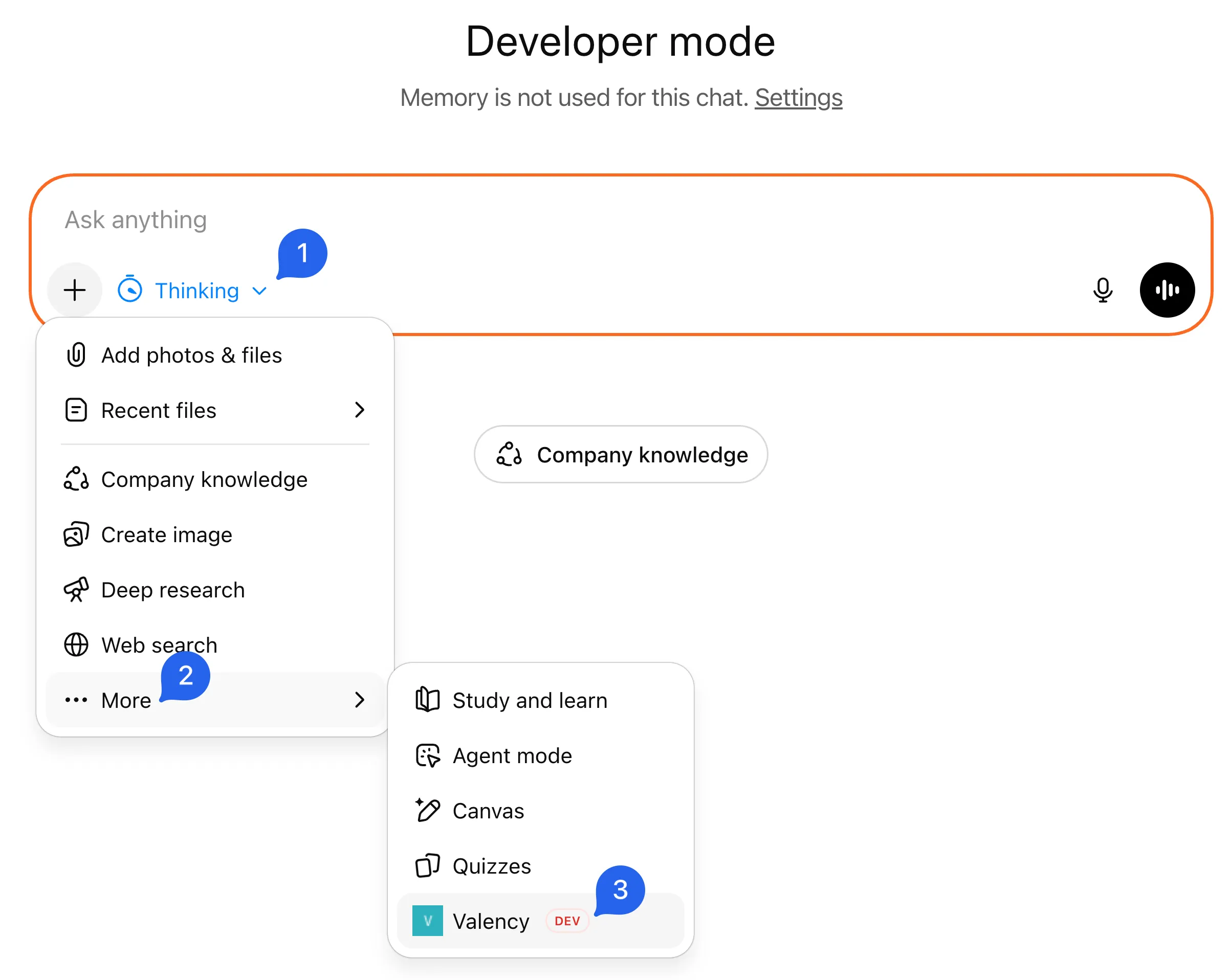
In the composer, click the tools menu and enable Valency
-
Ask (more prompt ideas):
Use Valency to search for papers about attention mechanisms in transformers
Troubleshooting
Section titled “Troubleshooting”Can't find Plugins or Developer mode?
- Make sure Developer mode is enabled: open Settings → Security and login (opens in new tab), scroll down, and toggle it on
Tools not appearing?
- Verify Developer mode is enabled in Settings → Security and login
Authorization fails or times out?
- The connection can take a few seconds and occasionally times out; just try again
- Check which email you signed in with. A Valency account is created automatically on first sign-in, so if you have one already, use the email it's under
Need help? Email: support@valency.io